Instrument and equipment comparison
MIDI keyboard controllers for desk studios: keys, connections and the sound source
A MIDI keyboard controller is part of a music-making setup, not a promise of sound from the keyboard itself. Before comparing pads and knobs, identify what will generate the sound, how you will hear it, and which software or hardware you want to control.
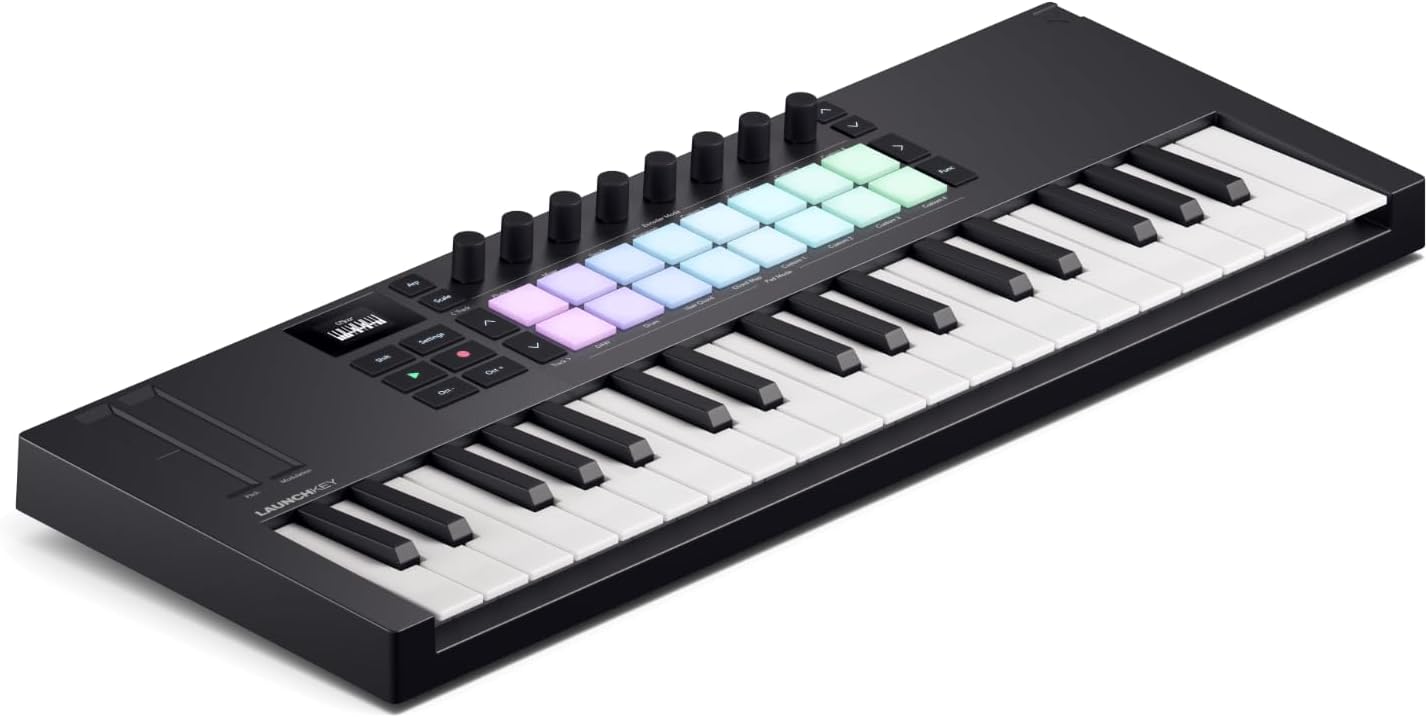
This listing-and-specification comparison looks at the Arturia KeyLab Essential 49 mk3, Akai MPK mini mk3 and Novation Launchkey Mini 37 MK4. It is not a hands-on comparison of key feel, pad response or latency, and it does not rank reliability or choose an overall winner.
Match the playing surface to the desk
The KeyLab Essential’s 49-key version gives you a different playing range from the MPK mini’s 25 mini keys or the Launchkey Mini’s 37 mini keys. Key count and key size are separate choices. Measure your usable desk space, allow room for connected cables and a mouse, and think about the phrases or two-handed parts you actually play. An octave-shift control changes the notes available; it does not create more physical keys under your hands.
Arturia’s manual describes velocity-sensitive synth-action keys, eight pads, nine encoder knobs and nine faders. The exact MPK mini mk3 listing describes eight pads, eight knobs, a four-way thumbstick and an arpeggiator. These layouts support different ways of entering notes and controlling software, but a longer control list does not establish better results or easier learning.
The Launchkey Mini 37 guide describes 37 synth-action mini keys, pads and encoders. Compare that layout with the tasks you want at hand. Check the exact Mini 37 MK4 rather than borrowing the layout or connections of a full-size Launchkey or an older generation.
Trace the MIDI and power path
The KeyLab Essential manual describes USB-C for power, MIDI and control data, a five-pin DIN MIDI output and a TRS pedal input. It also describes powering the controller by USB when using the MIDI connector with external hardware. Confirm the pedal type and power arrangement before building a computer-free hardware setup; MIDI control is not the same as generating audio.
Akai’s FAQ describes the MPK mini mk3 as a class-compliant USB-MIDI keyboard that sends messages to software on a computer rather than creating sound on its own. It connects and receives power through a USB-A-to-USB-B cable. Do not confuse it with an MPK mini Play or another version that has a different feature set.
The Launchkey Mini 37 guide describes USB bus power, a sustain input and a TRS type-A MIDI output. A TRS MIDI connection is not a headphone output. Match the connector and required adapter to the receiving MIDI device rather than buying a cable only because the plugs appear to fit.
Check software and drivers separately
A physical USB connection does not establish that every DAW script, plugin, editor or software bundle works with your computer’s current operating system. Check the hardware requirements and the requirements of the software you plan to run, including its exact version. Arturia’s manual specifically notes a custom Windows driver for using multiple MIDI applications; do not reduce every setup question to a generic “plug and play” label.
Software-bundle names in a listing are not a guarantee of perpetual access, transferable licenses or compatibility with every host. Confirm registration, activation and any subscription terms. If you already own suitable software, check the controls and mapping you need rather than choosing from the number of included sound presets.
Complete the listening setup
Decide where the sound will come from and where headphones or speakers will connect. Do not assume that USB-C means an audio interface or that a controller has a speaker or headphone socket. When controlling external MIDI hardware, that sound source still needs its own power and audio path.
This comparison does not establish current price, stock, software eligibility, warranty performance or universal host compatibility. Confirm the exact model, generation, connections and software requirements before deciding.